> ## Documentation Index
> Fetch the complete documentation index at: https://docs.flipsidecrypto.com/llms.txt
> Use this file to discover all available pages before exploring further.
# Overview
> AI-powered assistants with specialized skills for blockchain intelligence
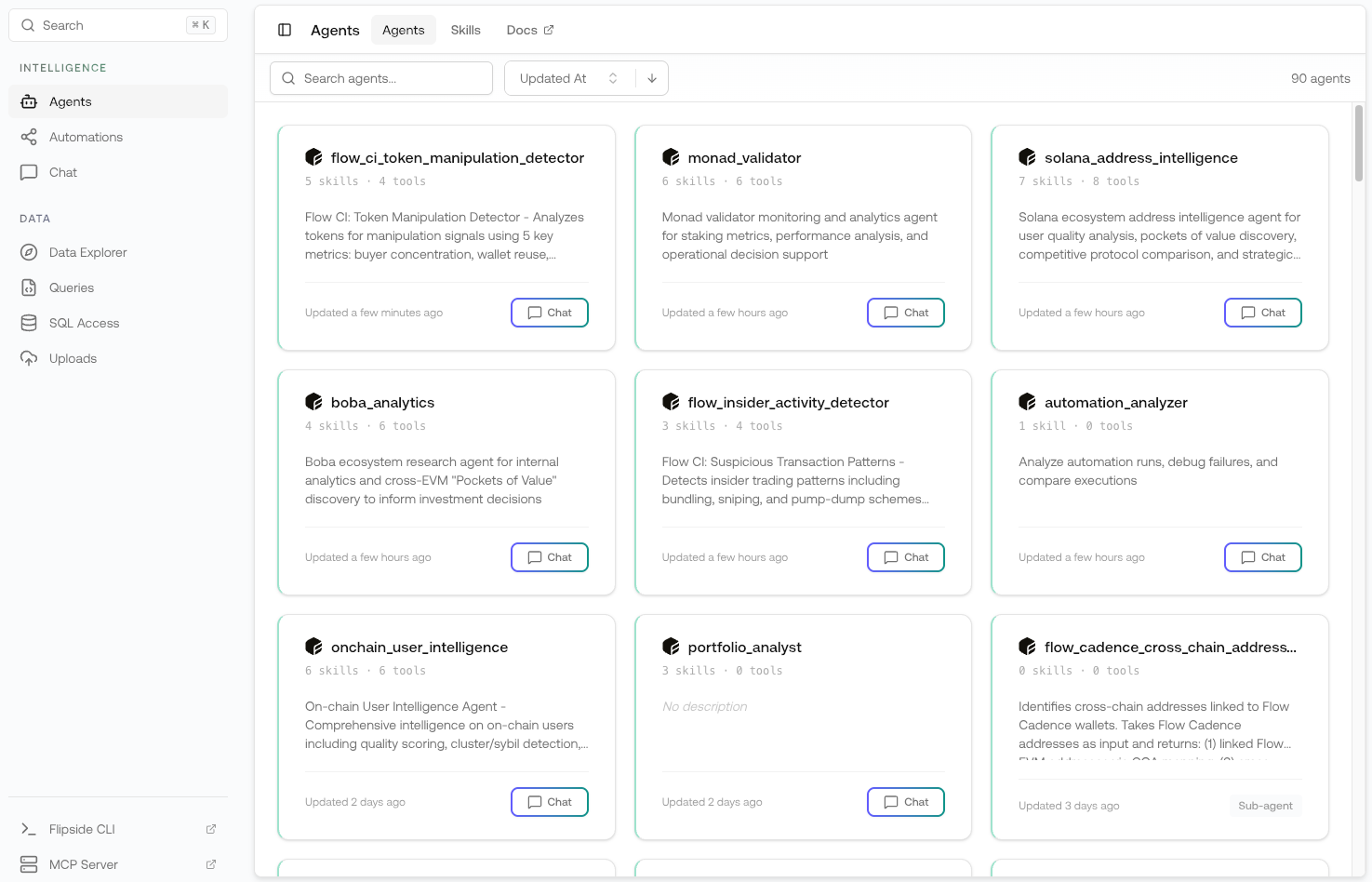
Agents are AI-powered assistants that combine blockchain data access, domain expertise, and
specialized tools to solve complex analysis problems. Each agent is equipped with **skills** that
define what it knows and what it can do.
 ## Key Concepts
AI assistants that can query data, analyze patterns, and generate insights. Each agent has a
specific purpose and is equipped with relevant skills.
Reusable packages of domain knowledge and tools. Skills give agents the context and capabilities
they need to perform specific tasks.
## How Agents Work
Agents combine three key components:
1. **AI Model** — The underlying language model (Claude, GPT, etc.) that powers reasoning and
conversation
2. **Skills** — Domain knowledge and tool access packaged for specific use cases
3. **Tools** — Capabilities like SQL querying, table discovery, and data visualization
When you chat with an agent, it uses its assigned skills to understand your question, query the
right data, and generate meaningful insights.
## Getting Started
Agents and skills are created and managed through the **Flipside CLI**. To build your own:
Follow the [CLI installation guide](/flipspace/cli/installation) to set up the Flipside CLI on
your machine.
Use `flipside agents init` to create a new agent configuration. See the [CLI Agents
documentation](/flipspace/cli/agents) for details.
Use `flipside skills init` to create skills that give your agent domain knowledge and tools. See
the [CLI Skills documentation](/flipspace/cli/skills) for details.
Push your agent and skills to make them available in Flipspace.
Get started with the Flipside CLI
Create and deploy agents
Create and deploy skills
## Agent Architecture
```
┌─────────────────────────────────────────────┐
│ Agent │
│ ┌─────────────────────────────────────┐ │
│ │ AI Model │ │
│ │ (Claude, GPT, Gemini) │ │
│ └─────────────────────────────────────┘ │
│ │ │
│ ┌─────────┬───────┴───────┬─────────┐ │
│ │ Skill 1 │ Skill 2 │ Skill 3 │ │
│ │ │ │ │ │
│ │ Tools: │ Tools: │ Tools: │ │
│ │ - SQL │ - Tables │ - HTML │ │
│ │ - Viz │ - Schema │ - SQL │ │
│ └─────────┴───────────────┴─────────┘ │
└─────────────────────────────────────────────┘
```
## Learn More
Browse and use AI agents
Understand agent skills
Create agents via CLI
Create skills via CLI
## Key Concepts
AI assistants that can query data, analyze patterns, and generate insights. Each agent has a
specific purpose and is equipped with relevant skills.
Reusable packages of domain knowledge and tools. Skills give agents the context and capabilities
they need to perform specific tasks.
## How Agents Work
Agents combine three key components:
1. **AI Model** — The underlying language model (Claude, GPT, etc.) that powers reasoning and
conversation
2. **Skills** — Domain knowledge and tool access packaged for specific use cases
3. **Tools** — Capabilities like SQL querying, table discovery, and data visualization
When you chat with an agent, it uses its assigned skills to understand your question, query the
right data, and generate meaningful insights.
## Getting Started
Agents and skills are created and managed through the **Flipside CLI**. To build your own:
Follow the [CLI installation guide](/flipspace/cli/installation) to set up the Flipside CLI on
your machine.
Use `flipside agents init` to create a new agent configuration. See the [CLI Agents
documentation](/flipspace/cli/agents) for details.
Use `flipside skills init` to create skills that give your agent domain knowledge and tools. See
the [CLI Skills documentation](/flipspace/cli/skills) for details.
Push your agent and skills to make them available in Flipspace.
Get started with the Flipside CLI
Create and deploy agents
Create and deploy skills
## Agent Architecture
```
┌─────────────────────────────────────────────┐
│ Agent │
│ ┌─────────────────────────────────────┐ │
│ │ AI Model │ │
│ │ (Claude, GPT, Gemini) │ │
│ └─────────────────────────────────────┘ │
│ │ │
│ ┌─────────┬───────┴───────┬─────────┐ │
│ │ Skill 1 │ Skill 2 │ Skill 3 │ │
│ │ │ │ │ │
│ │ Tools: │ Tools: │ Tools: │ │
│ │ - SQL │ - Tables │ - HTML │ │
│ │ - Viz │ - Schema │ - SQL │ │
│ └─────────┴───────────────┴─────────┘ │
└─────────────────────────────────────────────┘
```
## Learn More
Browse and use AI agents
Understand agent skills
Create agents via CLI
Create skills via CLI